
Introduction
Unlocking trends in music has never been easier with access to Spotify's extensive database. By leveraging the Spotify API Python tools, users can gather real-time data on artists, tracks, and listener behavior. One effective way to do this is through Spotify Data Scraping using Python, particularly using the Spotipy library, which provides a convenient interface for working with Spotify's Web API. After data collection, powerful libraries like Pandas enable deep analysis, revealing genre popularity, top charts, and audience preferences. Matplotlib and Seaborn can turn these insights into compelling visualizations for storytelling or strategic planning. Whether you're a data analyst, marketer, or music enthusiast, this method supports various applications from personalized playlists to campaign targeting. Exploring Spotify Data Insights Python can enhance your understanding of music consumption patterns and fuel innovation in music tech, content creation, and consumer engagement. This blog shows you how to get started efficiently.
Why Analyze Spotify Data?
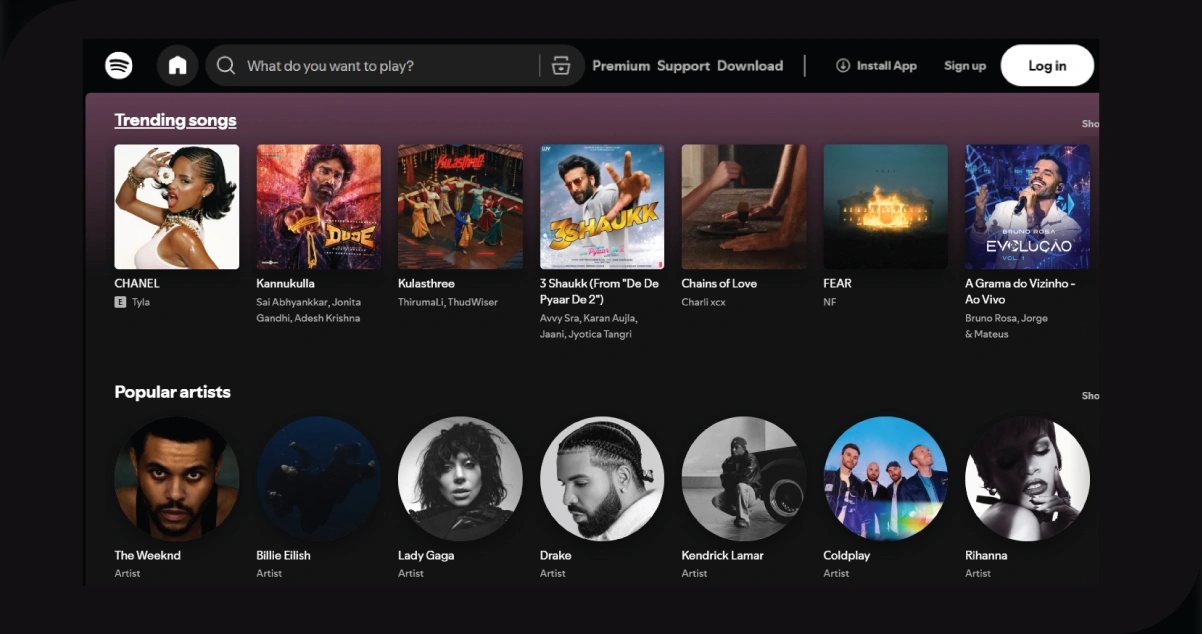
Spotify's vast dataset offers deep insights into tracks, artists, playlists, and user interactions, making it a goldmine for data-driven projects. One can extract and process this rich information by applying Spotify Data Analysis with Python to uncover valuable patterns and trends. Here's how this data can be used:
- Track Music Trends: Use historical and real-time data to detect rising genres, viral hits, or seasonal changes in music consumption.
- Understand Listeners: Perform Spotify EDA Python techniques to reveal behavior patterns across different regions, age groups, or times of day.
- Support Artists: Measure an artist's engagement, reach, and fan demographics to guide promotional strategies and track performance growth.
- Build Tools: Develop intelligent applications like music recommendation engines or interactive music dashboards using Spotify Data Visualization with Python for a clear and compelling presentation.
Whether you're a developer, analyst, or music lover, Spotify data enables endless creative and analytical opportunities.
How Can Spotify Data Scraping Help You?
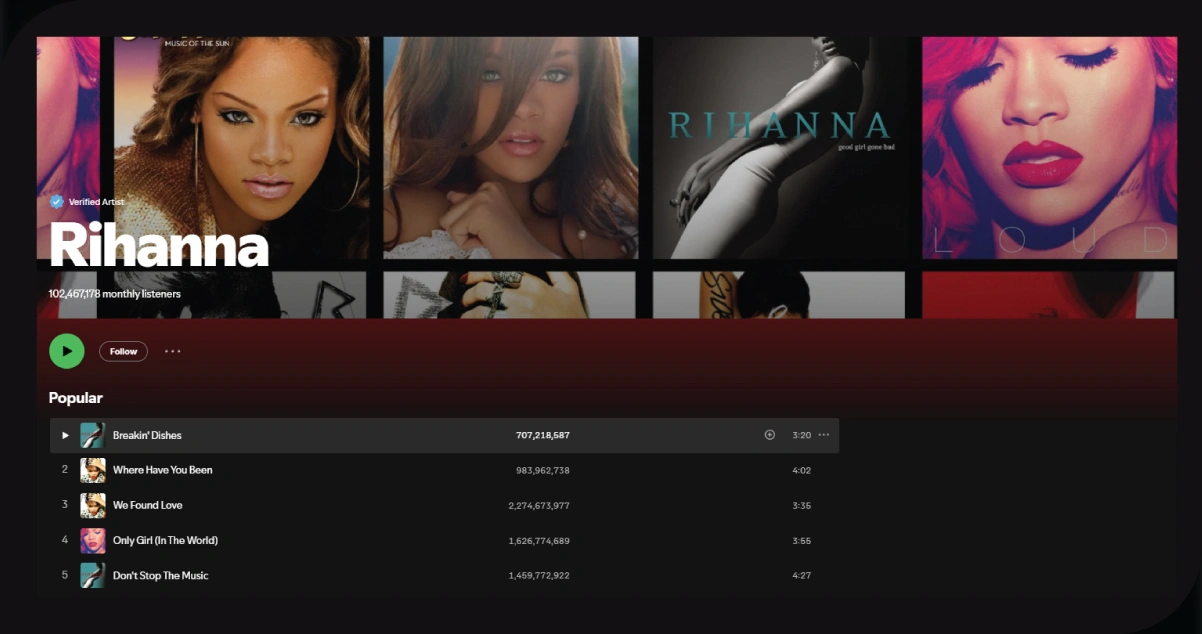
Spotify data scraping opens doors to various practical applications, making it a valuable skill for professionals and hobbyists. Here are some key ways it can benefit you:
- Personal Music Discovery: Analyzing your listening habits or scraping playlists can help you discover new songs or artists that match your taste. For example, you can identify tracks with similar audio features (e.g., tempo, danceability) to your favorites.
- Music Industry Insights: For music producers or marketers, scraping Spotify data can reveal which genres or artists are trending, helping you make informed decisions about promotions or collaborations.
- Building Recommendation Systems: Spotify data can power machine learning models to recommend songs based on audio features or user preferences, enabling you to create personalized music apps.
- Academic Research: Researchers studying music trends, cultural preferences, or social behavior can use Spotify data to analyze patterns, such as how music popularity varies by region or season.
- Portfolio Projects: For aspiring data scientists or developers, Spotify data scraping projects showcase your API integration, data analysis, and visualization skills, making your portfolio stand out.
Prerequisites
To follow along, you'll need:
- Python 3.8+ installed.
- A Spotify Developer account for API access.
- Python libraries: spotipy, pandas, matplotlib, seaborn.
- Basic familiarity with Python and data analysis.
Install the required libraries:
pip install spotipy pandas matplotlib seaborn
Step 1: Setting Up Spotify API Access
The Spotify Web API provides access to tracks, artists, playlists, and more, and Spotipy simplifies its usage.
Create a Spotify Developer Account
- Visit the Spotify Developer Dashboard.
- Log in and create a new app.
- Note your Client ID and Client Secret.
- Set a Redirect URI (e.g., http://localhost:8888/callback).
Authenticate with Spotipy
Use this script to authenticate:
import spotipy
from spotipy.oauth2 import SpotifyClientCredentials
# Spotify API credentials
client_id = 'your_client_id'
client_secret = 'your_client_secret'
# Authenticate with Spotify
client_credentials_manager = SpotifyClientCredentials(client_id=client_id, client_secret=client_secret)
sp = spotipy.Spotify(client_credentials_manager=client_credentials_manager)
Replace 'your_client_id' and 'your_client_secret' with your credentials.
Step 2: Scraping Spotify Data
We'll scrape data for The Weeknd's top tracks and their audio features (e.g., danceability, energy, valence).
Fetch Artist's Top Tracks
Retrieve the top 10 tracks for an artist:
import pandas as pd
# Search for the artist
artist_name = 'The Weeknd'
results = sp.search(q='artist:' + artist_name, type='artist')
artist_id = results['artists']['items'][0]['id']
# Get artist's top tracks
top_tracks = sp.artist_top_tracks(artist_id)
# Store track data
tracks_data = []
for track in top_tracks['tracks']:
    tracks_data.append({
        'name': track['name'],
        'popularity': track['popularity'],
        'album': track['album']['name'],
        'release_date': track['album']['release_date']
    })
# Convert to DataFrame
tracks_df = pd.DataFrame(tracks_data)
Fetch Audio Features
Get audio features for the tracks:
# Get track IDs
track_ids = [track['id'] for track in top_tracks['tracks']]
# Fetch audio features
audio_features = sp.audio_features(track_ids)
# Store audio features
features_data = []
for feature in audio_features:
    features_data.append({
        'name': [track['name'] for track in top_tracks['tracks'] if track['id'] == feature['id']][0],
        'danceability': feature['danceability'],
        'energy': feature['energy'],
        'valence': feature['valence'],
        'tempo': feature['tempo']
    })
# Convert to DataFrame
features_df = pd.DataFrame(features_data)
# Merge DataFrames
final_df = pd.merge(tracks_df, features_df, on='name')
The final_df DataFrame contains track details and audio features.
Step 3: Analyzing Spotify Data
Let's analyze the data to uncover trends and insights.
Basic Statistics
Compute summary statistics:
# Summary statistics
print(final_df.describe())
This provides metrics like mean and standard deviation for popularity, danceability, etc.
Identify Trends
Find the most danceable and energetic tracks:
# Most danceable track
most_danceable = final_df.loc[final_df['danceability'].idxmax()]
print(f"Most Danceable Track: {most_danceable['name']} (Danceability: {most_danceable['danceability']})")
# Most energetic track
most_energetic = final_df.loc[final_df['energy'].idxmax()]
print(f"Most Energetic Track: {most_energetic['name']} (Energy: {most_energetic['energy']})")
Correlation Analysis
Check relationships between features:
# Correlation matrix
correlation_matrix = final_df[['danceability', 'energy', 'valence', 'tempo', 'popularity']].corr()
print(correlation_matrix)
This reveals if features like danceability correlate with popularity.
Step 4: Visualizing Spotify Data
Visualizations make data insights accessible. We'll use Matplotlib and Seaborn.
Bar Plot of Track Popularity
Show track popularity:
import matplotlib.pyplot as plt
import seaborn as sns
plt.figure(figsize=(10, 6))
sns.barplot(x='popularity', y='name', data=final_df.sort_values('popularity', ascending=False))
plt.title('Popularity of The Weeknd’s Top Tracks')
plt.xlabel('Popularity')
plt.ylabel('Track Name')
plt.tight_layout()
plt.savefig('popularity_barplot.png')
Scatter Plot of Danceability vs. Energy
Explore feature relationships:
plt.figure(figsize=(8, 6))
sns.scatterplot(x='danceability', y='energy', size='popularity', hue='popularity', data=final_df)
plt.title('Danceability vs. Energy of The Weeknd’s Top Tracks')
plt.xlabel('Danceability')
plt.ylabel('Energy')
plt.tight_layout()
plt.savefig('danceability_energy_scatter.png')
Heatmap of Correlation Matrix
Visualize correlations:
plt.figure(figsize=(8, 6))
sns.heatmap(correlation_matrix, annot=True, cmap='coolwarm', vmin=-1, vmax=1)
plt.title('Correlation Matrix of Audio Features')
plt.tight_layout()
plt.savefig('correlation_heatmap.png')
These plots highlight popular tracks and feature relationships.
Step 5: Saving the Data
Save the data for later use:
# Save to CSV
final_df.to_csv('the_weeknd_top_tracks.csv', index=False)
Step 6: Challenges and Best Practices
Scraping Spotify data comes with challenges:
- API Rate Limits: Avoid excessive requests to stay within Spotify's limits.
- Data Privacy: Adhere to Spotify's terms and respect user data.
- Data Cleaning: Handle missing or inconsistent data.
- Scalability: Optimize for large datasets with batch processing.
Best practices include:
- Use environment variables for API credentials.
- Implement error handling for API requests.
- Document your code for reproducibility.
Step 7: Extending the Project
Take your Spotify data analysis further by:
- Analyzing Playlists: Scrape user or curated playlists for genre trends.
- Comparing Artists: Analyze multiple artists to compare fan bases.
- Building Apps: Create a web app to display insights using Flask or Django.
- Machine Learning: Train models for song recommendations.
How OTT Scrape Can Help You?
- Customized Data Solutions: Our data scraping services are tailored to meet your business needs, ensuring you get the most relevant and accurate data for your industry.
- Real-Time Data Access: We provide real-time data scraping, allowing your business to stay updated with the latest market trends, competitor insights, and customer preferences, helping you make informed decisions.
- Scalable and Efficient: Whether you need data from a single website or a vast collection of sources, our services are scalable, saving you time and effort in manual data collection and ensuring efficiency.
- Comprehensive Data Quality: We prioritize data accuracy and consistency, offering high-quality datasets ready for analysis, helping your business derive meaningful insights.
- Cost-Effective and Flexible: Our services offer a cost-effective alternative to traditional market research, with flexible packages designed to suit businesses of all sizes, from startups to large enterprises.
Conclusion
Spotify data scraping, analysis, and visualization with Python are potent ways to explore music trends and listener preferences. Using Spotipy, Pandas, Matplotlib, and Seaborn, we scraped The Weeknd's top tracks, analyzed audio features, and visualized insights. This process demonstrates the potential of Spotify Data Analyzing Using Python to uncover patterns in tempo, energy, popularity, and more. Whether you're building a recommendation system, researching music trends, or enhancing your portfolio, Spotify data scraping is a versatile skill. Dive into the Spotify Web API and experiment with new datasets to unlock even more possibilities.
Embrace the potential of OTT Scrape to unlock these insights and stay ahead in the competitive world of streaming!