
Introduction
Streaming platforms like Netflix, Amazon Prime, and Disney+ have transformed modern entertainment by providing extensive libraries of movies and TV shows on demand. For data scientists, developers, and media researchers, analyzing this data opens up rich opportunities to understand trends, viewer behavior, and market shifts. Scrape Netflix Movie Data using Python to uncover genre distributions, ratings, and release patterns.
These platforms hold a wealth of information that can be accessed through responsible data scraping techniques. Extract Amazon Prime TV Show Data to evaluate regional content availability, popularity rankings, or actor appearances.
However, ethical and legal boundaries must always be respected when working with scraped data. Disney+ Episode Data Scraping enables researchers to analyze content release schedules, episode lengths, and audience engagement metrics.
This guide will walk you through building a Python-based scraper, outlining key steps, tools, and best practices for collecting and interpreting streaming data while remaining compliant and respectful.
Why Scrape Streaming Platform Data?
Scraping data from streaming services unlocks many opportunities across multiple domains, offering practical and analytical value. OTT Platform Data Scraping empowers researchers and businesses to access and analyze large volumes of content information that would otherwise remain hidden behind user interfaces.
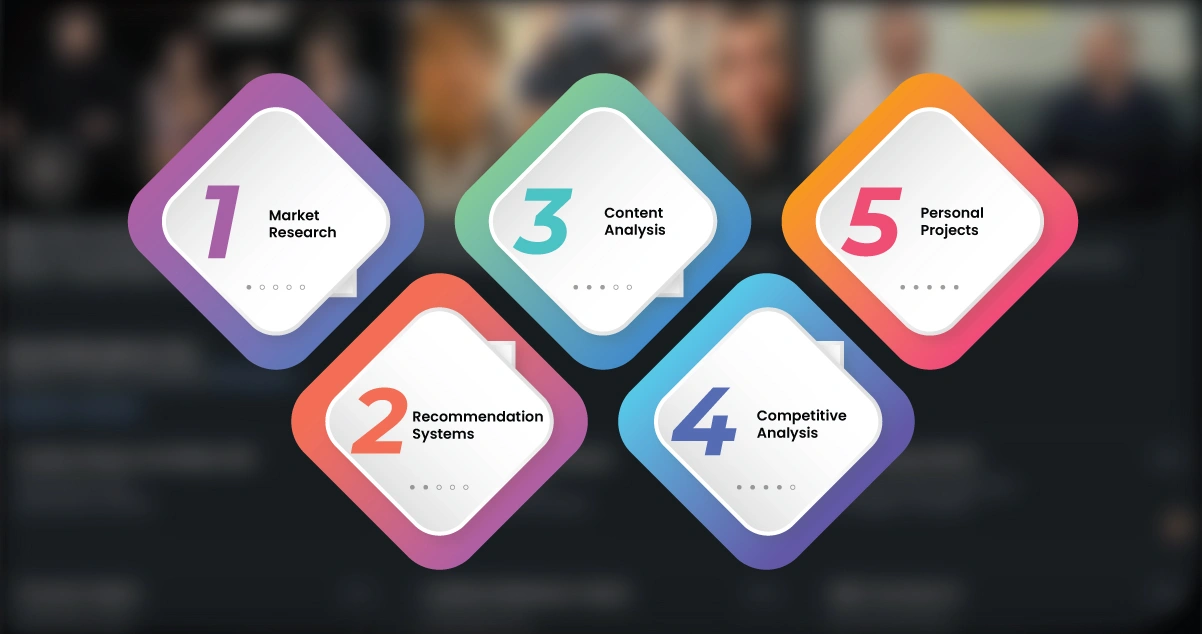
1. Market Research: By collecting and analyzing data from various OTT libraries, businesses can identify trending genres, content release patterns, and region-specific strategies. This helps them understand viewer demand and shape future content offerings.
2. Recommendation Systems: A well-structured TV Show Episode Data Scraper can gather detailed episode-level metadata, which is crucial for training machine learning algorithms. These models predict user preferences and power personalized content recommendations.
3. Content Analysis: Academic and media researchers can examine streaming content to study diversity, representation, and evolving cultural narratives over time.
4. Competitive Analysis: Through Amazon Prime Video Data Scraping, businesses can compare platform offerings, identify unique content, and plan better content acquisition or production strategies.
5. Personal Projects: Developers can build custom dashboards or applications to visualize real-time data trends, ratings, and viewership patterns.
While scraping has its advantages, it must be done responsibly. Always review each platform's Terms of Service, prioritize ethical practices, and consider using official APIs or licensed datasets where available
Advantages of Using Python for Web Scraping
Python is a preferred language for web scraping due to its simplicity and robust ecosystem. Key advantages include:
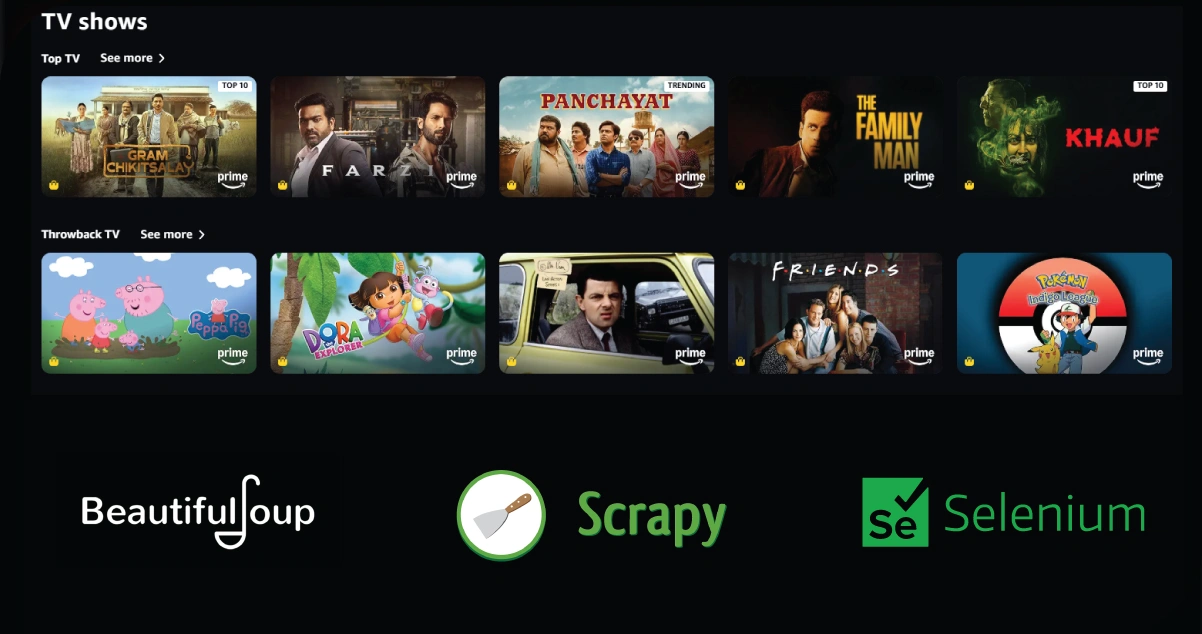
- Rich Libraries: BeautifulSoup, Scrapy, and Selenium simplify HTML parsing and dynamic content scraping.
- Ease of Use: Python's readable syntax reduces development time.
- Community Support: A large community provides tutorials, forums, and packages for scraping challenges.
- Integration: Python integrates seamlessly with data analysis tools like pandas and visualization libraries like matplotlib.
- Flexibility: Python handles static and JavaScript-heavy websites, which is crucial for modern streaming platforms.
Prerequisites
Before diving into the code, ensure you have:
- Python 3.8+ installed.
- Basic knowledge of HTML/CSS and Python.
- Installed libraries: requests, BeautifulSoup, Selenium, pandas, and webdriver-manager.
- A web driver (e.g., ChromeDriver for Selenium).
- Understanding the target platform's structure (e.g., Netflix's movie catalog page).
Install the required libraries using pip:
pip install requests beautifulsoup4 selenium pandas webdriver-manager
Step-by-Step Guide to Scraping Streaming Data
Below is a comprehensive guide to scraping movie and TV show data from Netflix, Amazon Prime, and Disney+. This is a simplified example, and real-world scraping may require handling anti-scraping measures like CAPTCHAs or IP bans.
Step 1: Understanding the Target Websites
Each platform has a unique structure:
- Netflix: Uses dynamic content loaded via JavaScript. Movie and TV show data (e.g., titles, genres, ratings) is often embedded in HTML or API responses.
- Amazon Prime: Similar to Netflix, it relies on dynamic content. Data is accessible via HTML elements or JSON responses.
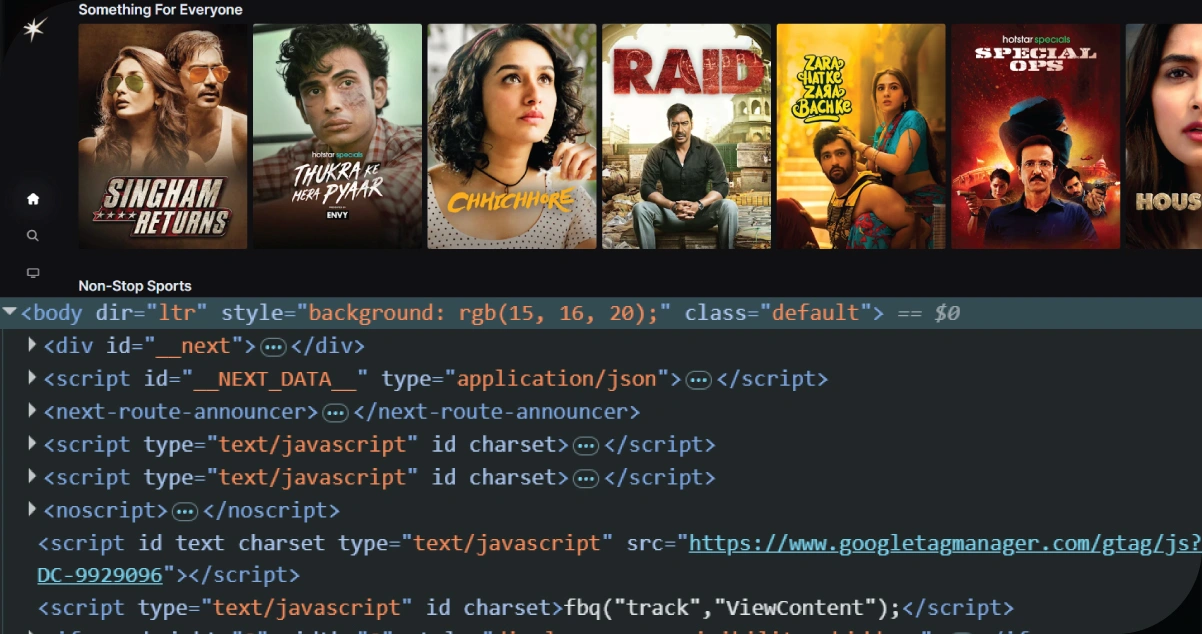
- Disney+: Also JavaScript-heavy, with content organized in carousels or grids.
Inspect the websites using browser developer tools (F12) to identify HTML elements containing titles, genres, release years, or ratings.
Step 2: Setting Up the Scraper
We'll use Selenium for dynamic content and BeautifulSoup to parse HTML. Below is a sample script to scrape movie titles and genres from Netflix. Adapt it for Amazon Prime and Disney+ by modifying selectors.
from selenium import webdriver
from selenium.webdriver.chrome.service import Service
from webdriver_manager.chrome import ChromeDriverManager
from bs4 import BeautifulSoup
import pandas as pd
import time
# Initialize Selenium WebDriver
options = webdriver.ChromeOptions()
options.add_argument('--headless')  # Run in headless mode (no browser UI)
driver = webdriver.Chrome(service=Service(ChromeDriverManager().install()), options=options)
# Target URL (e.g., Netflix movie catalog)
url = "https://www.netflix.com/browse/genre/34399"  # Example: Netflix movies
driver.get(url)
# Wait for the dynamic content to load
time.sleep(5)
# Parse page source with BeautifulSoup
soup = BeautifulSoup(driver.page_source, 'html.parser')
# Find movie containers (adjust selectors based on inspection)
movies = soup.find_all('div', class_='title-card')
# Lists to store data
titles = []
genres = []
# Extract data
for movie in movies:
    title = movie.find('span', class_='title').text if movie.find('span', class_='title') else 'N/A'
    genre = movie.find('div', class_='genres').text if movie.find('div', class_='genres') else 'N/A'
    titles.append(title)
    genres.append(genre)
# Create DataFrame
data = {'Title': titles, 'Genre': genres}
df = pd.DataFrame(data)
# Save to CSV
df.to_csv('netflix_movies.csv', index=False)
# Close driver
driver.quit()
print("Scraping complete. Data saved to netflix_movies.csv")
Step 3: Adapting for Amazon Prime and Disney+
To scrape Amazon Prime or Disney+, update the url and HTML selectors. For example:
- Amazon Prime: Use a URL like https://www.amazon.com/gp/video/storefront/. Inspect elements to find classes like av-title or av-genre.
- Disney+: Use a URL like https://www.disneyplus.com/movies. Look for classes like title-field or genre-tag.
You may need to handle login walls or pagination. For login, use Selenium to automate form inputs (ensure you have valid credentials and comply with ToS). For pagination, identify "Next" buttons or increment URL parameters (e.g., page=2).
Step 4: Handling Anti-Scraping Measures
Streaming platforms often employ anti-scraping techniques:
- CAPTCHAs: Use CAPTCHA-solving services (ethically) or pause scraping to avoid triggers.
- IP Bans: Rotate IP addresses using proxies or VPNs.
- Rate Limiting: Add delays (time.sleep(2)) between requests.
- JavaScript Rendering: Selenium handles this, but ensure the WebDriver waits for content to load.
Step 5: Data Cleaning and Analysis
Once scraped, clean the data using pandas:
# Load CSV
df = pd.read_csv('netflix_movies.csv')
# Remove duplicates
df = df.drop_duplicates()
# Handle missing values
df = df.fillna('Unknown')
# Basic analysis: Count genres
genre_counts = df['Genre'].value_counts()
print(genre_counts)
# Save cleaned data
df.to_csv('netflix_movies_cleaned.csv', index=False)
Visualize results with matplotlib:
import matplotlib.pyplot as plt
# Plot genre distribution
genre_counts.plot(kind='bar', title='Netflix Genre Distribution')
plt.xlabel('Genre')
plt.ylabel('Count')
plt.savefig('netflix_genre_distribution.png')
Step 6: Ethical Considerations
- Respect ToS: Avoid violating platform rules. Use official APIs if available (e.g., Netflix's API, if accessible).
- Minimize Impact: Limit request frequency to avoid overloading servers.
- Data Privacy: Do not scrape personal user data or reviews.
- Attribution: If sharing insights, credit the source platform.
Challenges and Limitations

Scraping streaming platforms is complex due to:
- Dynamic Content: JavaScript-heavy sites require tools like Selenium.
- Anti-Scraping Measures: CAPTCHAs, IP bans, and obfuscated HTML increase difficulty.
- Data Volume: Large catalogs require robust pagination handling.
- Legal Risks: Unauthorized scraping may violate ToS or local laws.
To mitigate these, prioritize APIs, use headless browsers sparingly, and consult legal experts if scraping for commercial purposes.
How OTT Scrape Can Help You?
- Comprehensive Content Analysis: We extract detailed data on genres, cast, ratings, release dates, and more, enabling in-depth analysis of movie and TV show trends across OTT platforms.
- Custom Datasets for Business Intelligence: Get tailor-made datasets that support competitive analysis, content acquisition decisions, and OTT strategy development.
- Real-Time Updates: Our scrapers provide timely updates on new releases, trending content, and regional availability, ensuring you stay ahead in a dynamic streaming landscape.
- Support for Multiple Platforms: We offer scraping services for Netflix, Amazon Prime, Disney+, and more, ensuring wide coverage of global streaming content.
- Compliance-Focused Approach: We prioritize ethical scraping and respect platform Terms of Service, using legal methods like public data access or official APIs where applicable.
Conclusion
Scraping movie and TV show data from leading platforms like Netflix, Amazon Prime, and Disney+ has become essential for analysts, researchers, and developers seeking to understand viewer behavior and content trends. With Python libraries such as Selenium, BeautifulSoup, and pandas, you can efficiently extract OTT Platform Data Extraction to collect, organize, and analyze rich media datasets. Web Scraping Streaming Services enables deep dives into release patterns, genre popularity, and user engagement insights across different regions. When applying Disney+ Hotstar App Data Scraping Services, it's important to consider legal boundaries and always comply with the platform's Terms of Service. Ethical data collection practices ensure that your work remains sustainable and respects digital content rights. By combining the right tools, thoughtful techniques, and responsible methods, you can unlock vast opportunities in streaming data analytics, powering innovative applications, intelligent content recommendations, and informed media strategies for personal and commercial use. Embrace the potential of OTT Scrape to unlock these insights and stay ahead in the competitive world of streaming!